Search

Professional AV Installations for Meeting Rooms, Conference Venues & Training Spaces
Edwards Sound Systems designs and installs audio visual systems for meeting rooms, conference venues, boardrooms, training centres, and multi-purpose function spaces across Auckland and the wider North Island. We have been doing this since 1965 which means we have specified and installed AV for venues that have been through two or three complete technology cycles, and we know what holds up and what doesn't.
If your venue has a presentation room where the equipment lets people down, a conference space where remote participants can't hear clearly, or a boardroom where nobody is quite sure how to switch inputs, we can fix it. If you're fitting out a new space from scratch, we can design the system before a single cable is run.
What Does a Professional Conference Room AV System Include?
A well-specified conference room AV system has four components working together: display, audio, control, and connectivity. When any one of those is wrong, the whole room feels unreliable.
Display projector and motorised screen, flat panel display, or LED video wall depending on room size and ambient light. Rooms with large windows or high ambient light need higher brightness a specification decision that affects the entire display budget and is worth getting right at the design stage.
Audio ceiling speakers for even coverage, a microphone system suited to the room format (boundary microphones for boardrooms, wireless handhelds or lapels for presentations, conference microphone arrays for hybrid meetings), and amplification matched to the speaker load and zone count. For multi-zone venues, a matrix amplifier allows independent audio control in each space from a single rack.
Control a wall panel, touch panel, or simple button interface that non-technical staff can operate without training. The best-specified room in Auckland still fails if the person presenting can't switch inputs without calling IT.
Connectivity HDMI and USB-C inputs at the table or lectern, wireless presentation capability (no dongle required), and video conferencing integration for platforms including Microsoft Teams, Zoom, and Google Meet.
Edwards supplies and installs all four components as a single integrated system. We do not supply hardware and leave configuration to someone else.
Who We Install For
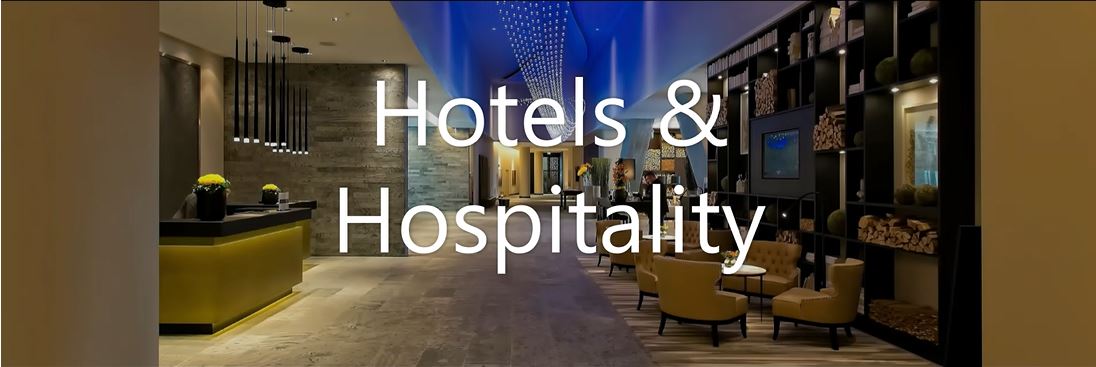
Hotels and conference centres: multi-room installations where rooms divide and combine, audio zoning is critical, and the system needs to be operated by hospitality staff without AV training. We specify for the operator, not the technician.
Corporate boardrooms and training facilities: hybrid meeting capability, wireless presentation, ceiling microphone arrays, and control systems that work the same way every time. Boardrooms where remote participants can hear clearly and contribute without asking to be repeated.
Schools, tertiary institutions, and adult learning centres: lecture theatre AV, classroom display systems, portable PA integration, and control systems that teachers can operate without support. We have installed systems in schools across Auckland that have run without intervention for over a decade.
Government and public sector meeting rooms: secure, reliable systems with straightforward control interfaces. No cloud dependency, no subscription requirement, no system that stops working when a software licence lapses.
Bars, restaurants, and hospitality venues: background music zoning, video display for sports and events, control systems staff can operate from behind the bar. ITC UC Series matrix amplifiers for multi-zone audio, with wall controllers in each area.
Co-working and shared office spaces: bookable meeting rooms where the AV works the same way regardless of who is using the space or what device they bring.
What Makes a Conference Room AV System Reliable Long-Term?
The most common failure point in conference room AV is not the display or the speakers; it is the control system. Rooms specified with complex touch panel programming that only the original installer can modify, or with IP control systems that break when the network changes, are the rooms that generate ongoing support calls.
Edwards specifies control systems with two principles: the room should work without network connectivity for basic functions, and any staff member should be able to operate it after a five-minute walkthrough. We programme control systems in-house and can update programming remotely or on-site as your requirements change.
The second common failure point is connectivity. Rooms specified with HDMI-only inputs become problems the moment a presenter arrives with a USB-C laptop. We wire for current device standards and include adapters as standard, not afterthoughts.
What Is Included in an Edwards AV Installation?
- Site assessment and system design before any equipment is ordered
- Supply of all AV equipment, cabling, and mounting hardware
- In-house installation team including licensed electrician, AV technicians, and programmer
- System commissioning and testing in the actual room
- Staff training at handover - we walk through operation with the people who will use the room, not just the IT manager
- Ongoing support and remote diagnostics
We do not use subcontractors for installations. The team that designs the system installs it.
Frequently Asked Questions
Can you integrate with existing AV equipment we already have? In most cases, yes. We assess existing equipment during the site visit and advise what can be retained, what should be replaced, and what needs to be added for the system to work reliably. We will not recommend replacing equipment that does not need replacing.
Do you install video conferencing systems for Microsoft Teams and Zoom? Yes. We install certified room systems for Microsoft Teams Rooms and Zoom Rooms, as well as BYOD (bring your own device) configurations where the room provides display, audio, and camera without requiring a dedicated conference PC. The right approach depends on how your organisation manages meetings — we advise based on your actual workflow.
How long does a typical conference room installation take? A single meeting room — display, ceiling speakers, control panel, and connectivity — typically takes one to two days on-site. A full boardroom with video conferencing, wireless presentation, and custom programming takes two to four days. Multi-room venue installations are scoped individually. We give firm timeframes before work starts, not estimates.
Can wall-mounted zone controllers adjust audio independently in different rooms? Yes. For venues with multiple audio zones — a main conference room, a breakout space, a foyer — we install matrix amplifiers with wall-mounted volume and source controllers in each zone. Staff in each room can adjust their own audio level and switch sources without affecting other areas or accessing the rack.
Edwards Sound Systems has been installing AV in Auckland conference rooms, hotels, and corporate venues since 1965. If you're planning a refurbishment, a new fit-out, or just want an honest assessment of what's wrong with a room that isn't working, get in touch and we'll come and have a look.
Sound, Lighting, Projectors and Screens, AV systems and Control designed and installed:
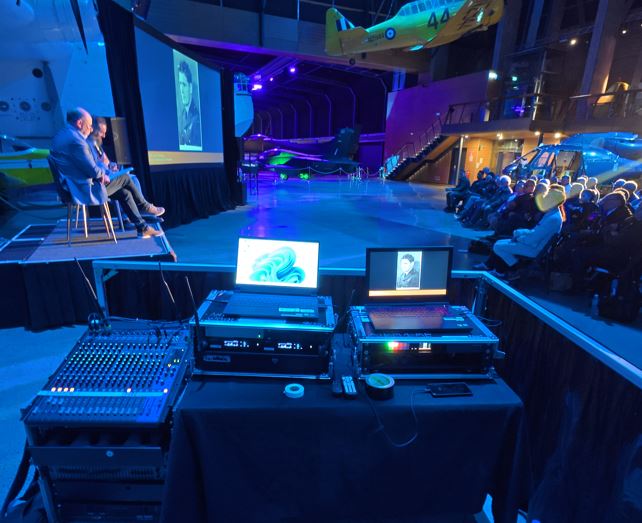
Easy control, quality equipment, reliable, long service life and simple maintenance
BUSINESS & BOARDROOM SOLUTIONS

- Interactive 4K TV
- Video Conferencing Cameras
- Huddle Spaces and Brainstorming zones
- Portable Sound Systems
- Lecterns and Microphones
- Portable screens and projectors
Transform meeting spaces and conference breakout rooms for today's flexible working environment.
EVENTS AND FUNCTIONS
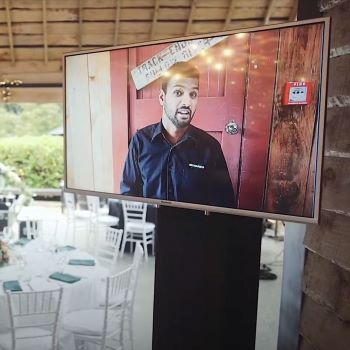
Edwards Event hire provides competent technical service and equipment for conference venues as their in-house experts to run the audio visual for all events. When it is too important to do it yourself, get the Edwards event team involved and trust your event - live and in person, streamed and/or recorded, or a hybrid event- to the team that can manage the physical and the virtual.
Contact Edwards today to discuss your needs!
Payment options

